

I used to think travel blogging from my laptop meant working whenever I felt inspired. That idea lasted exactly one trip. Once I started juggling flights, editing photos in cafes, and chasing Wi-Fi signals, I realized I needed a real system.
Now, travel blogging from laptop is part of my daily routine. It feels simple, structured, and honestly… kind of freeing. If you’re trying to do this consistently, I’ll show you exactly how I make it work without burning out or missing the actual travel experience.
What Does Travel Blogging From Laptop Actually Look Like Day to Day?
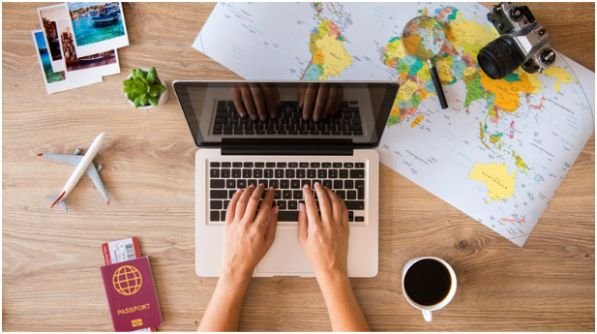
When I travel, I don’t treat blogging like a side hustle. I treat it like a light, flexible routine that fits into my day instead of taking over it.
Most mornings, I start early. I grab coffee, open my laptop, and write for about 60–90 minutes. That’s usually when my thoughts feel clear and distractions stay low.
Later in the day, I switch to lighter tasks like editing photos, scheduling posts, or updating old content. I don’t try to do everything at once. That shift keeps me productive without feeling overwhelmed.
The biggest change? I stopped chasing perfect schedules. I focus on consistency instead. Even one solid work block per day keeps my blog growing.
What Gear Do I Use for Travel Blogging From Laptop Without Stress?
I learned quickly that the wrong setup can ruin your workflow. Heavy laptops, slow performance, or battery anxiety can make everything frustrating.
Right now, I stick to lightweight, powerful machines that can handle editing and writing without slowing me down.
Here’s how I think about choosing a laptop:
| Laptop | Why I’d Use It While Traveling |
| MacBook Air M4 | Silent, ultra-light, insane battery life |
| Zenbook 14 OLED | Stunning display for editing photos |
| ThinkPad X1 Carbon | Comfortable typing for long writing sessions |
| Galaxy Book5 Pro 360 | Flexible tablet + laptop combo |
| ProArt PX13 | Powerhouse for heavy video editing |
Personally, I lean toward the MacBook Air because I value portability and battery life over everything else. But if you edit heavily, that ProArt setup can save you hours.
I also never travel without a VPN, a power bank, and an external hard drive. These aren’t extras—they’re essentials.
Which Platform Works Best for Travel Blogging From Laptop in 2026?
I experimented with almost every platform before settling on what actually works long term.
WordPress.org became my go-to because it gives me full control. I can optimize for SEO, install plugins, and monetize however I want. That flexibility matters once your blog starts growing.
If you want something simpler, platforms like Wix or Squarespace feel easier at first. But they can limit you later, especially if you plan to earn from your blog.
Here’s how I usually explain it:
| Platform | When I’d Recommend It |
| WordPress.org | Serious blogging + monetization |
| WordPress.com | Casual blogging |
| Wix/Squarespace | Design-focused portfolios |
| Substack | Newsletter-style content |
I always tell beginners this: start simple, but think long term. Switching platforms later can be a headache.
How Do I Stay Consistent With Travel Blogging From Laptop While Moving?

Consistency used to be my biggest struggle. Travel can throw your routine off instantly.
What helped me most was creating a flexible rhythm instead of a strict schedule. I follow a simple pattern: write in the morning, explore during the day, and handle small tasks in the evening.
I also stick to a niche. When I focused on too many topics, I felt scattered. Once I narrowed down my content, writing became easier and faster.
SEO plays a big role too. I use tools like Yoast to make sure each post answers real questions people search for. That way, my content keeps working for me even when I’m offline.
And one underrated habit? I choose my workspace carefully. I always sit where I can see my surroundings and stay close to a power outlet. That small habit makes a huge difference.
How-To: Build a Simple Routine for Travel Blogging From Laptop

When I started, I overcomplicated everything. Now I follow a simple step-by-step routine for travel or photopgraphy travel blogging set up that actually works.
First, I choose one core task for the day. It’s usually writing or editing, not both. This keeps my focus sharp.
Next, I block out a short work session. I aim for 60–90 minutes. During that time, I avoid distractions and just get the work done.
After that, I step away completely. I explore, relax, or just enjoy the destination. This break helps me stay creative.
Later in the day, I come back for light tasks. I edit photos, schedule posts, or respond to emails. These tasks don’t require deep focus.
Before ending the day, I plan the next one. I decide what I’ll work on so I don’t waste time figuring it out later.
This routine feels simple, but it keeps everything running smoothly.
How Do I Make Money From Travel Blogging From Laptop?
I didn’t earn anything in the beginning, and that’s normal. But once I built consistency, income started to grow.
Affiliate marketing became my first stream. I link to travel gear, booking platforms, and tools I actually use. Those small commissions add up over time.
Then I added display ads through Google AdSense. Later, I moved to better networks as my traffic increased.
The biggest shift came when I created my own digital products. Travel guides and presets gave me more control over my income.
I always focus on value first. When readers trust your content, monetization feels natural instead of forced.
What Mistakes Should You Avoid With Travel Blogging From Laptop?
I made plenty of mistakes early on. The biggest one was trying to do everything.
I used to write, edit, upload, and promote all in one sitting. That approach drained my energy fast.
Another mistake was overpacking gear. More equipment doesn’t mean better content. It just slows you down.
I also ignored backups at first. Losing photos once taught me that lesson quickly. Now I back up everything daily.
If you keep things simple and consistent, you avoid most of these problems.
FAQs About Travel Blogging From Laptop
1. Can I start travel blogging from laptop with no experience?
Yes, I started with zero experience. Focus on learning one skill at a time—writing, SEO, or editing. You don’t need everything figured out on day one.
2. How much time do I need daily for travel blogging from laptop?
I usually spend 1–3 hours per day. Even one focused hour can make a big difference if you stay consistent.
3. Is travel blogging from laptop expensive to start?
It can be affordable. A decent laptop and internet connection are enough to begin. You can upgrade gear later as your blog grows.
4. Can I do travel blogging from laptop full-time?
Yes, but it takes time. Once you build traffic and income streams, it can become a full-time lifestyle.
Key Takeaways From Travel Blogging From Laptop
Travel blogging from laptop becomes easier when you focus on simple routines, not perfection.
Choose lightweight gear, stick to one platform, and build a daily habit that fits your travel style.
Consistency matters more than intensity. Even small efforts each day can grow into something meaningful over time.
This Lifestyle Isn’t About Hustle—It’s About Flow
Travel blogging from laptop changed how I travel. I don’t rush anymore. I work when it feels right, and I explore without guilt. If you’re starting out, don’t overthink it. Build your routine slowly, keep your setup simple, and focus on enjoying the process.
That balance is what makes this lifestyle sustainable—and honestly, way more fun.